
SpendSeer
A budgeting app that grew out of my Google Sheets workflow. Less statement cleanup, one place to see my spending, and a chance to learn what it takes to run a paid SaaS.
It started with a spreadsheet
For years I tracked my spending in Google Sheets. The spreadsheet worked; getting statement data into it was the annoying part. I wrote scripts to clean up imports, then turned those into a small app on a Raspberry Pi in my homelab. It eventually moved to a proper server and started looking like something other people might use too.
I wanted to bring exports and statements from different places into one view, without entering everything by hand or handing over my bank login. SpendSeer grew around that workflow: import the data, review it, and see where the money went.
Learning the rest of SaaS
Turning my own tool into a paid product was a second project in itself. Accounts, subscriptions, email, onboarding, and all the little rough edges mattered differently once someone else was supposed to trust it.
The goal wasn’t to build a perfect SaaS. It was to launch one and learn from the whole process. And, at the very least, end up with a finance tool I actually enjoy using.
Project timeline
Along the way
- Latest update
Adding MCP and OAuth because I needed it
Even in maintenance mode, I wanted to be able to connect AI assistants like Claude to my own SpendSeer data, so I added a remote MCP server and OAuth to go with it. Apps connect through a consent screen, write access is never preselected, and each connection can be revoked from the API Tokens page. I also added a financial snapshot tool as a starting point for questions about my money, and a two-factor check before granting write access. This one was for me first, not for attracting users.
Keeping it live, leaving it here
I’ve decided not to spend more time reworking SpendSeer to attract users. I had been considering a trial, but the demo mode is there and I think that’s enough. I’ll keep the app live and maintain it, rather than keep changing the product or pricing. It may never find an audience, and I’m okay with that. It still solves the problem I built it for, and I learned a lot getting it launched.
The work after launch
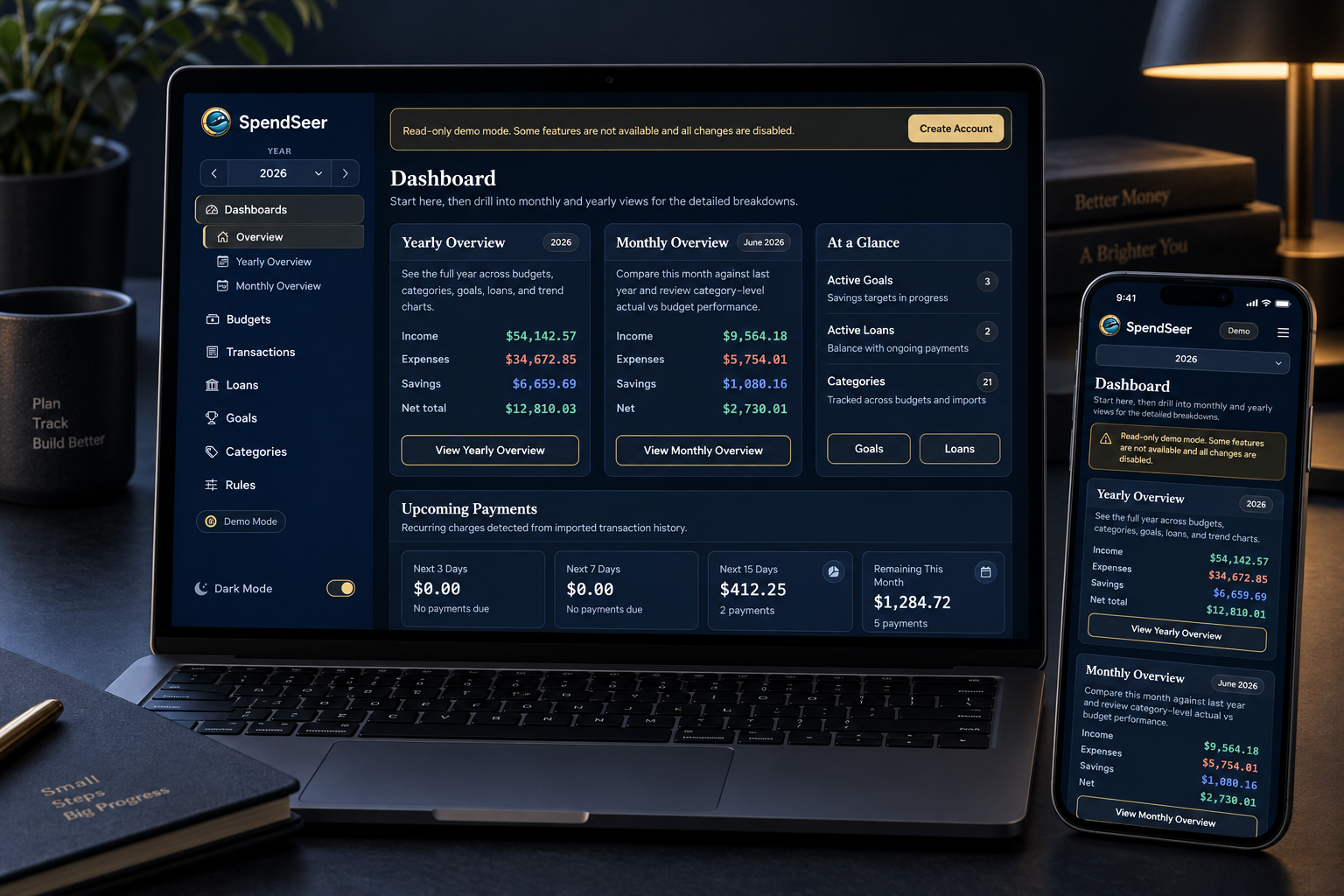
The yearly view grew into a dashboard with monthly and yearly overviews and upcoming payments. Most of the work since launch has been about trust — reviewing imports before committing them, undoing mistakes, and connecting transactions to loans and goals. I wrote up the changes from March through June and put together a tour of the app.
Read the full post Video update · Watch on YouTubeSpendSeer product tourFrom homelab tool to paid SaaS
I finally wrote about launching SpendSeer. The post was late because I kept adding features instead. The app already solved a problem for me; billing, accounts, onboarding, and deciding whether it was good enough to charge for were the unfamiliar parts.
Read the full post